
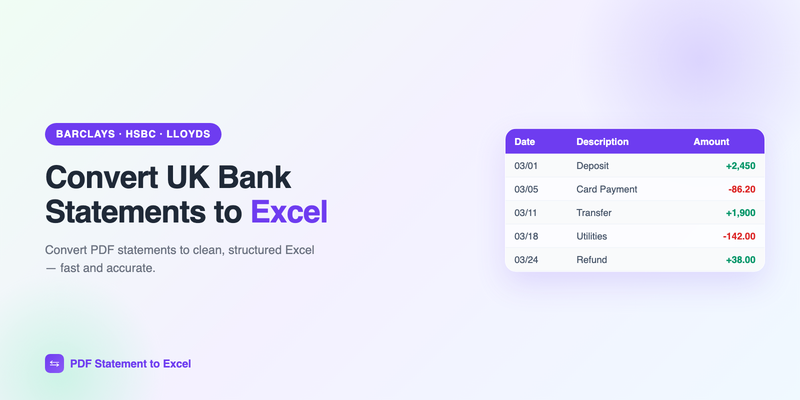
UK banks are excellent at online banking and, unfortunately, just as good at locking your data inside PDFs. Whether you're with Barclays, HSBC, Lloyds, NatWest, Santander, Monzo, or Starling, the monthly statement arrives as a PDF that's easy to read and hard to use. If you need the transactions in a spreadsheet for a self-assessment tax return, a VAT return, or your accountant, you need to convert it.
This guide covers how to convert UK bank statements to Excel, the differences from US statements to be aware of, and how to keep the output clean.
The fast way: download your statement PDF from your bank's app or online banking, upload it to PdfStatementToExcel, and download a clean Excel file. It handles UK date formats and pound amounts automatically.
What's different about UK bank statements
A few things trip up converters built only for US banks — worth knowing before you start:
- Date format. UK statements use DD/MM/YYYY, not MM/DD/YYYY. A converter that assumes the US format will scramble any day-of-month above 12. Make sure yours handles UK dates (and check the output column).
- Currency and separators. Amounts are in pounds (£), and some statements use different thousands/decimal conventions. Clean output should keep the numeric value intact.
- Layout variety. Barclays, HSBC, and Lloyds each format statements differently, and app-generated PDFs (Monzo, Starling) differ again. Template-based tools struggle across this range; AI-based extraction copes far better.
- Reference lines. UK statements often include payment references and sort code/account lines that shouldn't be mistaken for transactions.
How to download your statement
The exact path varies by bank, but the pattern is the same:
- Log in to your bank's app or online banking.
- Open the account and find Statements (or "Documents").
- Select the period and download the PDF.
App-first banks like Monzo and Starling let you export a PDF or CSV statement directly from the app under the account's statements section.
Convert the statement to Excel
- Open the converter. Your first conversion needs no signup.
- Upload the PDF.
- The tool reads each transaction and rebuilds the data into columns — date, description, and amount — respecting the UK date format.
- Download the Excel or CSV file.
Check the dates first: the fastest way to catch a US/UK date mix-up is to scan the date column for any impossible values. If day and month look swapped, reformat the column or reconvert with the correct locale.
Common UK banks and their quirks
| Bank | Statement source | Note |
|---|---|---|
| Barclays | App / Online Banking PDF | Multi-line descriptions common |
| HSBC UK | Online Banking PDF | PDF-only; no native Excel export |
| Lloyds / Halifax | Internet Banking PDF | Consistent tabular layout |
| NatWest / RBS | App / Online PDF | Reference lines to filter |
| Monzo / Starling | App export (PDF/CSV) | Clean, app-generated |
Why this matters for UK tax and accounting
If you're self-employed and filing a Self Assessment, or running a business with VAT returns, HMRC's Making Tax Digital push means more of your record-keeping lives in software. Getting bank transactions out of PDFs and into Excel — or straight into accounting software — is the groundwork for that. Converting statements to a spreadsheet lets you categorize expenses, total income, and hand your accountant something they can actually work with.
Once your transactions are in Excel, reconciliation and categorization are straightforward. See our guides on bank statement reconciliation and importing transactions into Google Sheets.
Frequently Asked Questions
Can I convert UK bank statements with US-focused tools?
Often not reliably — many assume MM/DD/YYYY dates and mishandle DD/MM/YYYY. Use a converter that understands UK date formats, or check and reformat the date column after converting.
Which UK banks are supported?
AI-based conversion handles a wide range including Barclays, HSBC UK, Lloyds, Halifax, NatWest, RBS, Santander, Monzo and Starling, because it reads layout rather than relying on per-bank templates.
Does HSBC UK provide Excel or CSV statements?
HSBC UK typically provides statements as PDFs only, so converting the PDF is the practical way to get transactions into Excel.
Is converting statements useful for Self Assessment or VAT?
Yes. Getting transactions into Excel lets you categorize expenses, total income, and prepare records for Self Assessment, VAT returns, and Making Tax Digital workflows.
Convert your UK bank statement now
Upload your PDF and get a clean Excel file in under two minutes — UK dates and pound amounts handled automatically. First conversion free.
Get Started Free