
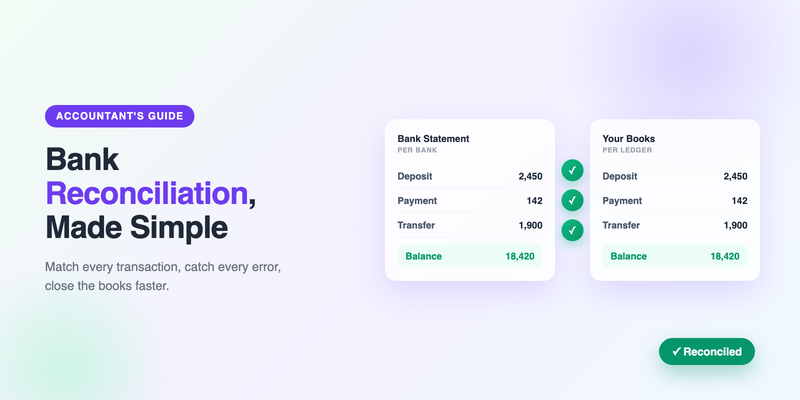
Bank reconciliation is one of those tasks that sounds tedious until the day it saves you. It's the process of comparing your own records of what happened in an account against what the bank says happened — and resolving every difference between the two. Do it consistently and you catch fraud early, spot bank errors, prevent overdrafts, and close your books with confidence. Skip it and small discrepancies quietly compound until your financial statements can't be trusted.
This guide explains what reconciliation is, why it matters, and how to do it step by step — whether you're a bookkeeper handling dozens of client accounts or a business owner reconciling your own. We'll also cover the most common discrepancies and how converting your statements to a spreadsheet makes the whole process dramatically faster.
The core idea in one sentence: reconciliation means making your books and your bank statement agree, transaction by transaction, so that any difference is explained rather than ignored.
What is bank reconciliation?
Every business keeps its own record of cash activity — in accounting software, a ledger, or a spreadsheet. The bank keeps its own record too, which arrives as your monthly statement. In a perfect world these two records would always match. In reality they drift apart for entirely normal reasons: a check you wrote hasn't cleared yet, a deposit is still in transit, the bank charged a fee you didn't record, or interest was credited that you didn't know about.
Reconciliation is the disciplined comparison that brings the two records back into agreement. You go line by line, match each transaction in your books to the corresponding one on the statement, and account for anything that appears in one place but not the other. When you're done, your adjusted book balance and the bank's balance should be identical — and if they're not, you know something needs investigating.
Why reconciliation matters
It catches fraud and errors early
An unauthorized charge, a duplicated payment, or a bank processing error shows up as a discrepancy during reconciliation. Businesses that reconcile monthly catch these within weeks. Businesses that don't may not notice until the loss is large — or never.
It keeps your financial statements accurate
Your balance sheet is only as reliable as your cash balance. If the books and the bank disagree, every report built on that number — profit and loss, cash flow, tax filings — inherits the error. Reconciliation is the control that keeps cash trustworthy.
It prevents cash-flow surprises
Knowing your true available balance — accounting for outstanding checks and deposits in transit — stops you from spending money that's about to disappear. That's the difference between managing cash flow and being ambushed by it.
It's expected at audit and tax time
Auditors and tax preparers routinely ask for reconciled accounts. Reconciling monthly means year-end is a formality instead of a scramble. For the wider workflow around that, see our tax season preparation checklist.
How to reconcile a bank statement, step by step
Here's the process that works whether you're using accounting software or a spreadsheet.
Step 1: Gather your records
You need two things: the bank statement for the period, and your own record of transactions for the same period (from your accounting system or ledger). Make sure both cover exactly the same date range.
Step 2: Match the opening balances
Confirm that the opening balance on the statement matches the closing balance from last period's reconciliation. If it doesn't, the problem started before this period, and you need to resolve that first.
Step 3: Match each transaction
Go through the statement and tick off each transaction against your books. Deposits, withdrawals, card payments, transfers — each one on the statement should have a match in your records. This is the heart of reconciliation, and it's where a spreadsheet earns its keep: with both sets of transactions in columns, you can sort, filter, and match in a fraction of the time it takes on paper.
Step 4: Identify the differences
Anything that doesn't match falls into one of a few buckets:
- Outstanding checks — you recorded a payment, but it hasn't cleared the bank yet.
- Deposits in transit — you recorded a deposit, but the bank hasn't posted it yet.
- Bank fees and charges — the bank recorded them, but you haven't yet.
- Interest earned — credited by the bank, not yet in your books.
- Errors — a transposed number, a duplicate, or a genuine mistake on either side.
Step 5: Make the adjustments
Update your books for anything legitimate that you hadn't recorded — fees, interest, automatic payments. For timing differences like outstanding checks and deposits in transit, you don't change your books; you note them as reconciling items that will clear next period.
Step 6: Confirm the balances agree
After adjustments, your book balance (plus deposits in transit, minus outstanding checks) should equal the bank's ending balance. When those two numbers match, the account is reconciled. If they still differ, there's an unexplained item to hunt down — don't force it to balance.
Golden rule: never plug a difference just to make it balance. An unexplained discrepancy is information. Forcing it hides exactly the errors reconciliation exists to catch.
Common reconciliation problems (and fixes)
| Problem | Likely cause | Fix |
|---|---|---|
| Opening balance doesn't match | Last period wasn't fully reconciled | Reconcile the prior period first |
| Small recurring difference | Unrecorded bank fee or interest | Add the fee/interest to your books |
| Difference equals a transaction amount | A single transaction missing or duplicated | Find and add or remove it |
| Difference is divisible by 9 | Transposed digits (e.g. 54 vs 45) | Look for a swapped-digit amount |
| Many small mismatches | Manual entry errors | Import from a converted statement instead of typing |
How statement conversion speeds up reconciliation
The slowest, most error-prone part of reconciliation is getting the bank's transactions into a workable format. If you're reading them off a PDF and matching by eye — or worse, retyping them — you're inviting exactly the manual-entry errors that create discrepancies in the first place.
Converting the statement to Excel first changes the economics. With the bank's transactions in clean columns next to your own records, you can:
- Sort both sets by date or amount so matching transactions line up.
- Use formulas like SUMIF or XLOOKUP to match and flag differences automatically.
- Filter for unmatched items instead of scanning a page by hand.
- Import directly into accounting software, skipping manual entry entirely.
For bookkeepers reconciling many accounts, this is the difference between an afternoon and an hour. Convert each client's statement to Excel, drop it alongside their ledger, and let formulas do the matching. We cover the broader efficiency gains in how to automate data entry for bookkeepers and bank reconciliation best practices.
How often should you reconcile?
Monthly is the standard — it aligns with statement cycles and keeps discrepancies small and findable. High-volume businesses often reconcile weekly or even daily so problems surface fast. The one cadence to avoid is "whenever I get around to it," because the longer you wait, the more transactions you have to sift through and the colder the trail on any error.
Whatever your cadence, the workflow is the same: get the bank's transactions into a spreadsheet, match them against your books, explain every difference, and confirm the balances agree. Do that consistently and reconciliation stops being a chore you dread and becomes a quiet, reliable safeguard on your cash.
Frequently Asked Questions
What is bank reconciliation?
Bank reconciliation is the process of comparing your own records of an account's transactions against the bank's statement for the same period, and resolving every difference so the two records agree.
How often should I reconcile my bank account?
Monthly is standard and aligns with statement cycles. High-volume businesses may reconcile weekly or daily. The key is consistency — the longer you wait, the harder discrepancies are to trace.
What are the most common reconciliation discrepancies?
Outstanding checks that haven't cleared, deposits in transit, unrecorded bank fees or interest, and manual entry errors. A difference divisible by 9 often signals transposed digits.
How does converting statements to Excel help with reconciliation?
It puts the bank's transactions into clean, sortable columns next to your own records, so you can match them with formulas, filter for unmatched items, and import into accounting software — eliminating the manual entry that causes most discrepancies.
Reconcile faster with clean data
Convert any bank statement to a clean Excel file, then match it against your books in a fraction of the time. Your first conversion is free.
Get Started Free