
If you have ever downloaded a bank statement expecting a tidy spreadsheet and instead received a locked PDF, you already know the problem these tools solve. Banks hand you a document designed for reading, not for working with. The moment you need to sort transactions, reconcile accounts, or import data into accounting software, that PDF becomes a wall.
A bank statement converter tears down that wall. It reads the transactions inside a PDF and rebuilds them as clean, columned data — dates, descriptions, and amounts — that drop straight into Excel, Google Sheets, or your bookkeeping platform. But not every converter does this well, and the gap between the best and the worst is enormous: the difference between a two-minute job and an afternoon of fixing scrambled columns by hand.
We spent time testing the leading options against real statements from dozens of banks. This guide walks through what actually matters when you choose one, how the main tools compare, and which is the right fit depending on whether you are a solo freelancer, a busy bookkeeping firm, or a developer wiring conversion into your own app.
Short on time? For most people who convert statements regularly, the best all-round choice is a converter that supports a wide range of banks, exports to both Excel and CSV, keeps your data private, and offers an API for automation. PdfStatementToExcel checks all four boxes and processes your first statements free.
What makes a good bank statement converter?
Before comparing specific products, it helps to know the criteria that separate a tool you will trust with your books from one that quietly introduces errors. Here are the six things we weighed most heavily.
1. Accuracy on messy layouts
This is the whole game. A statement from a major bank might have multi-line transaction descriptions, running balances, foreign-currency rows, and check images crammed onto the page. A weak converter mangles these — splitting one transaction across two rows, dropping the decimal on an amount, or misreading a date. The best converters use AI models trained on thousands of statement layouts so they understand the structure of a statement, not just the raw text.
2. Number of banks supported
Some tools are hand-tuned for a short list of large US banks and fall apart on anything outside it — credit unions, neobanks, international banks, or brokerage statements. If you only ever touch one bank, that may be fine. If you handle clients across many institutions, coverage breadth saves you from constantly hitting "unsupported statement" walls.
3. Export formats
Excel (XLSX) and CSV are the baseline. Beyond that, formats like QuickBooks-ready files matter a great deal to bookkeepers. A converter locked to a single format forces extra conversion steps downstream.
4. Privacy and data handling
Bank statements are among the most sensitive documents you own. You want to know whether files are deleted after conversion, whether they are used to train models, and whether the connection is encrypted. A vague or missing privacy policy is a red flag.
5. Pricing that fits your volume
Occasional users are best served by pay-as-you-go or a generous free tier. High-volume firms need predictable monthly plans measured in pages or statements. Watch for tools that look cheap until you read the per-page overage rates.
6. Automation and API access
If you process statements at scale — say, an accounting firm onboarding hundreds of clients — a manual upload-and-download loop does not cut it. An API lets you feed PDFs in programmatically and pull structured data back out, so conversion becomes part of your pipeline rather than a chore.
The best bank statement converters in 2026, compared
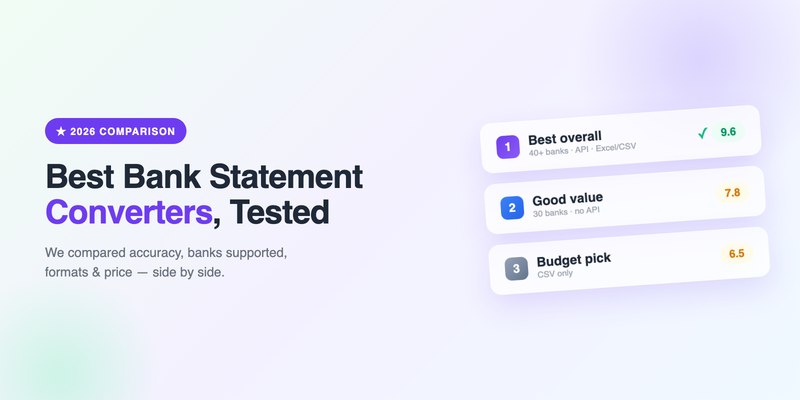
The table below summarizes how the main categories of tools stack up on the criteria above. We have grouped them by the type of user each serves best.
| Tool type | Banks supported | Formats | API | Best for |
|---|---|---|---|---|
| AI-first converter (e.g. PdfStatementToExcel) | Broad — major banks, neobanks, credit unions, brokerages, international | Excel, CSV | Yes | Bookkeepers, firms, developers, anyone with mixed banks |
| Simple single-purpose tool | Narrow — ~30 mostly US banks | Excel, CSV | No | Occasional users on one common bank |
| Generic PDF-to-Excel apps | None specialized — treats statements as generic tables | Excel | Sometimes | Simple, well-structured tables only |
| Manual copy-paste / OCR | Any (you do the work) | Whatever you build | No | One-off, tiny statements, no budget |
AI-first converters
This is the category that has changed the most in the last two years. Instead of relying on rigid templates for each bank, AI-first tools use language and vision models that infer the layout of any statement on the fly. In practice this means they handle unfamiliar banks gracefully and cope with the awkward edge cases — wrapped descriptions, split transactions, running balances — that break older tools. They are the strongest choice for anyone who deals with more than one or two banks, and the only realistic option if you need an API. The trade-off is that they are typically subscription-based rather than a few dollars per statement, which is only a downside if your volume is genuinely tiny.
Simple single-purpose tools
These tools do one thing: upload a PDF from a supported bank, get a spreadsheet back. They are cheap and pleasant to use when your bank is on the list. The catch is the list. Support tends to cover roughly 30 large, mostly US institutions, with no API and Excel/CSV only. If your bank is covered and you convert a handful of statements a month, they are perfectly adequate. Step outside that lane and you will hit friction fast.
Generic PDF-to-Excel apps
Plenty of general "PDF to Excel" utilities exist, and they will happily accept a bank statement. The problem is that they treat the statement as a generic table extraction task. They have no concept of a transaction, a running balance, or a statement period, so they frequently produce output where the columns are technically present but the meaning is scrambled. Fine for a clean, simple table; risky for real bank statements.
Manual and OCR approaches
You can always copy-paste from the PDF or run it through basic OCR and clean up the result yourself. For a single short statement this is defensible. For anything recurring it is a false economy — the time you spend fixing formatting almost always costs more than a proper tool. We wrote a deeper comparison of why this breaks down in OCR vs AI for bank statement conversion.
How we recommend choosing
Rather than crown a single "winner" for everyone, match the tool to your situation:
- You convert one bank occasionally: a simple single-purpose tool or a free tier is plenty. Don't overpay for breadth you won't use.
- You handle multiple banks or clients: choose an AI-first converter with broad bank coverage. The time saved on edge cases pays for itself quickly.
- You need QuickBooks or accounting imports: prioritize export flexibility and clean, consistent columns you can map reliably.
- You're a developer automating a workflow: API access is non-negotiable — most simple tools rule themselves out here.
- Privacy is paramount: read the data-handling policy first. Confirm files are deleted after conversion and never used for training.
A note on trust: whichever tool you pick, always spot-check the first few conversions against the original PDF. Reconcile the closing balance. A converter that gets 99% of transactions right still needs your eyes on the total before the numbers go into your books.
Why PdfStatementToExcel stands out
We build one of these tools, so treat this section as informed rather than neutral — but the reasons we hear from customers switching to us are consistent, and they map directly onto the criteria above.
Broad bank coverage. Because our extraction is AI-driven rather than template-locked, we handle a far wider range of institutions than the typical single-purpose tool — including neobanks, credit unions, brokerage and card statements, and international banks that competitors simply do not support.
Clean, reconciliation-ready output. We preserve transaction structure carefully: one row per transaction, correct signs on amounts, consistent date formats, and running balances where present. That is what makes the output safe to reconcile rather than something you have to repair first.
Privacy by default. Files are processed securely and are not used to train models. If you handle client data, that distinction matters.
An API for scale. Firms and developers can automate conversion end to end instead of clicking through uploads. That is the feature most often missing from the cheaper tools.
If you want to see how your own statements convert, the fastest way is simply to try one. There is no signup required for your first conversion, and you will know within two minutes whether the output is clean enough for your workflow.
Frequently Asked Questions
Are bank statement converters safe to use?
Reputable converters encrypt your upload, process it securely, delete files after conversion, and do not use your data to train models. Always read the privacy policy before uploading sensitive statements, and prefer tools that clearly state their data-handling practices.
Can I convert a bank statement to Excel for free?
Yes. Several tools, including PdfStatementToExcel, let you convert your first statements free with no signup. Free tiers are ideal for occasional, low-volume needs; regular or high-volume users are better served by a paid plan or API.
Which is more accurate, OCR or AI conversion?
AI-based conversion is generally more accurate on real bank statements because it understands the structure of a statement — transactions, balances, and dates — rather than just reading raw text the way basic OCR does. This matters most on messy, multi-line layouts.
What should I look for when choosing a converter?
Prioritize accuracy on messy layouts, the range of banks supported, export formats you need (Excel, CSV, accounting imports), a clear privacy policy, pricing that matches your volume, and API access if you plan to automate.
See how your statements convert
Upload any PDF bank statement and get clean, structured Excel data in under two minutes. No signup required for your first conversion.
Get Started Free