RBC Royal Bank — Canadian Specialized Converter

Convert RBC Royal Bank PDF Statements to Excel (Canadian Bilingual Format)

Convert RBC Royal Bank PDF statements to Excel instantly. Our AI handles RBC's bilingual Canadian format with CAD currency, Interac e-Transfer® transactions, and Avion® Rewards tracking for accurate reconciliation.

CAD Currency: Properly extracts Canadian Dollar amounts with correct formatting
Bilingual Support: Handles English/French dual-language statements
Interac e-Transfer®: Correctly identifies Canadian P2P payment transactions
AI-Powered OCR Handles scanned PDFs with perfect accuracy
Batch Processing Convert up to 10 files simultaneously
Smart Categorization Automatic transaction categorization
Secure Processing Bank-grade security with instant deletion
Bank-grade security
Instant processing
Trusted by professionals
Free to start

Why PdfStatementToExcel Is Different

Most tools convert PDFs. PdfStatementToExcel converts financial logic.

Others Fail Because They:

  • Misread debit vs credit
  • Break tables across pages
  • Output files that require manual correction

PdfStatementToExcel Succeeds Because It:

  • Preserves transactional order
  • Validates balances row-by-row
  • Outputs clean, structured financial tables

Result: Files you can use immediately in Excel, accounting software, or reports.

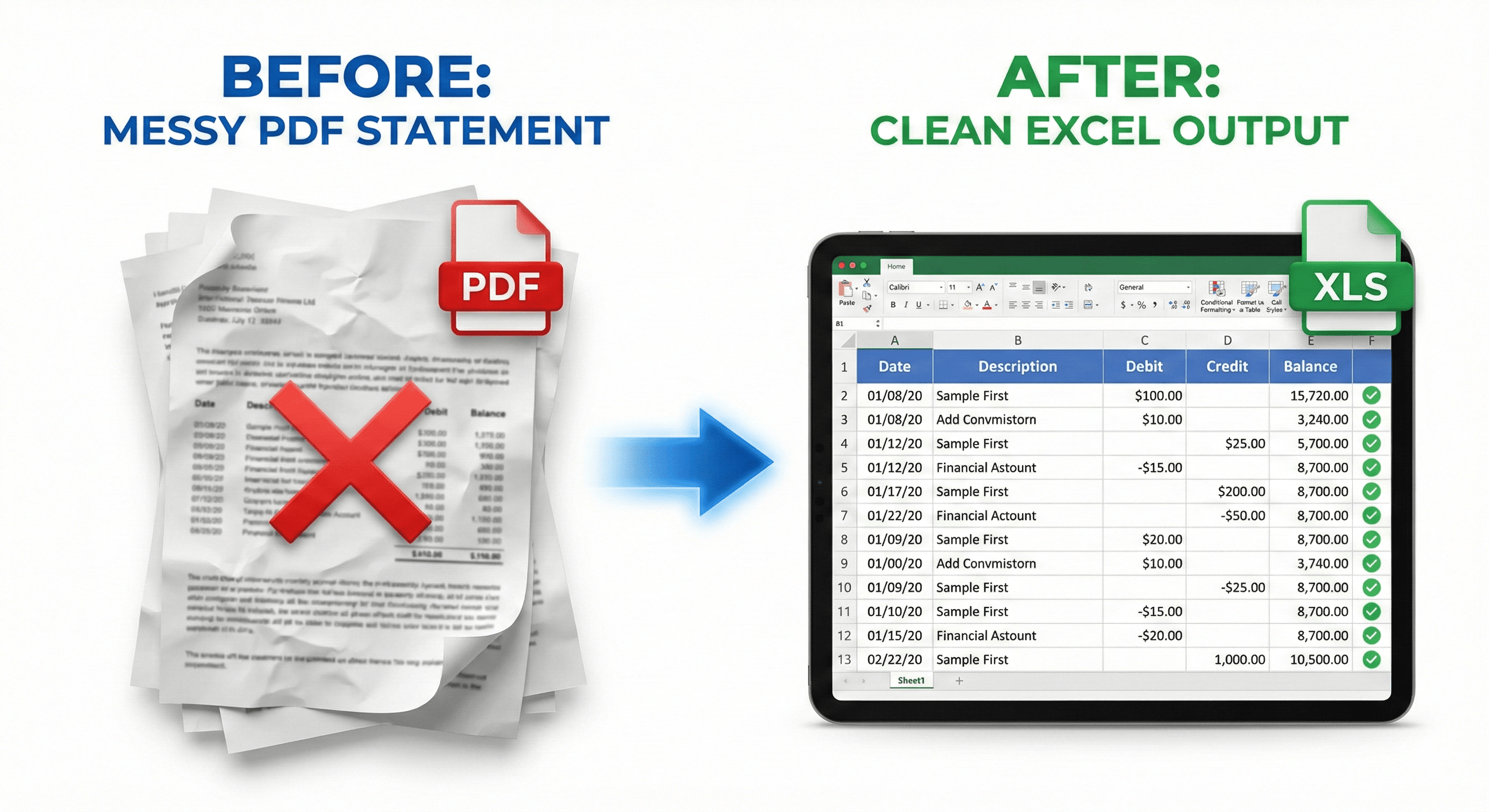
See the Difference in Output Quality

Don't settle for broken text. Get a clean Excel ledger.

Comparison of messy bank statement PDF vs clean Excel output with split columns
✔ Auto-Categorized
Try It Now — Upload Your Statement

How PdfStatementToExcel Works

Three simple steps to clean, accurate data

1

Upload

Upload your bank statement (PDF or scanned image)

2

Process

PdfStatementToExcel extracts, validates, and reconciles transactions

3

Download

Download a clean Excel or CSV — ready to use

No setup. No templates. No manual fixes.

Your Data Is Secure — Always

Bank statements contain sensitive financial data. PdfStatementToExcel is built with security-first architecture:

End-to-end encrypted uploads (TLS 1.3)
Files automatically deleted within 1 hour of processing
No human access to your files — ever
No data stored or used for model training

Designed with GDPR principles in mind

Read our Security & Privacy Policy

Accuracy You Can Trust

Built for financial professionals who can't afford errors

99%+
Transaction Accuracy
Balance Validation
Scanned PDF Support

PdfStatementToExcel achieves 99%+ transaction accuracy on real-world bank statements and validates every row against balance logic before export.

Built for Professional Use

Designed for accountants and finance professionals
Suitable for audits, reconciliation, and reporting
Clear audit trail in exported files

PdfStatementToExcel may not be suitable if you only need raw OCR text or manual data entry.

Convert Your Bank Statements Now

Drag & drop your PDF bank statement files or click to browse. Supports single files and batch processing for maximum efficiency.

Drop your PDF bank statements here

or click to browse files - Supports all major banks worldwide

Secure & Private
Lightning Fast
High Accuracy
Batch processing: Upload up to 10 PDFs simultaneously
Supports all PDF formats including scanned documents
Works with 2000+ banks worldwide

Choose Output Format

Converting Your Statement

Please wait while we process your document

Upload
Analyze
Extract
Complete
0%
Initializing...
Estimating time...
Did you know? PdfStatementToExcel can process over 2000+ bank formats!
Showing 0 of 0 transactions
Date Description Category Type Amount Balance

Conversion Failed

Something went wrong. Please try again.

Preview (First 10 transactions)

Date Description Amount Balance

Why RBC Royal Bank Statements Break Other Converters

RBC Royal Bank (Banque Royale du Canada) is Canada's largest bank by market capitalization, serving millions of customers across all provinces. Their bilingual e-statement system uses unique Canadian formats that cause problems for US-focused PDF converters:

Bilingual English/French Format

RBC statements include dual-language headers and transaction descriptions (e.g., "Withdrawals / Débits", "Deposits / Crédits"). Our AI correctly parses both languages and preserves the bilingual metadata in your Excel output.

CAD Currency Handling

RBC statements use Canadian Dollar (CAD) formatting with "$X.XX CAD" notation. Our system correctly identifies CAD amounts and preserves currency metadata — critical for cross-border accounting and tax reporting.

Interac e-Transfer® Transactions

Canada uses Interac e-Transfer® (not Zelle or Venmo) for P2P payments. Our AI correctly identifies "Interac e-Transfer Sent/Received" transactions and categorizes them appropriately for Canadian banking workflows.

RBC Avion® Rewards Tracking

RBC statements include Avion® Rewards points earned per period. Our system extracts this rewards data alongside your transactions for complete financial tracking.

Common RBC Statement Issues We Fix

Trusted by Canadian Financial Professionals

Secure Processing

Your financial data security is our top priority:

Convert Your RBC Statement Now

Why 10,000+ Accountants Switched from Adobe to Us

Convert PDF bank statements to Excel with industry-leading accuracy. Fix messy PDF bank statements automatically.

Reads Scanned PDFs (OCR)

We don't just extract text; we reconstruct the ledger. Our AI handles scanned PDF to Excel for accountants with precision.

Smart Columns

We automatically separate 'Description', 'Reference #', and 'Amount' into clean Excel columns. Split debits and credits in Excel effortlessly.

Privacy First

Files are processed in RAM and deleted instantly. No data is saved. Bank statement converter to CSV with enterprise-grade security.

Frequently Asked Questions

Everything you need to know about PdfStatementToExcel

Is my bank data safe?

Yes. Files are encrypted during upload and automatically deleted after processing. We never store your financial data permanently.

Do you support scanned PDFs?

Yes. PdfStatementToExcel handles both native digital PDFs and scanned bank statements using advanced OCR technology.

Does this work with Chase/Wells Fargo statements?

Yes. We have specific algorithms for major US and International banks including Chase, Wells Fargo, BMO Bank, Citizens Bank, and 2000+ more. Convert Chase PDF to Excel or Wells Fargo PDF to Excel with perfect accuracy.

What if the output is incorrect?

Our validation logic flags inconsistencies before export. If you encounter any issues, contact our support team and we'll help resolve it.

Can I use this for my clients?

Yes. Many accountants, bookkeepers, and freelancers use PdfStatementToExcel to process client bank statements efficiently.

Can I convert multiple statements at once?

Yes! Batch processing lets you upload up to 10 PDFs simultaneously and download all results in one go.

Trusted by 10,000+ Professionals Worldwide

Join accountants, bookkeepers, and finance teams who save hours every week

"This tool saved me hours of manual data entry. The accuracy is incredible and the batch processing feature is a game-changer for our accounting firm."

Sarah Johnson
Sarah Johnson Senior Accountant, Johnson & Associates

"Perfect for our law firm's financial analysis. The OCR technology handles even our oldest scanned statements flawlessly. Highly recommended!"

Michael Chen
Michael Chen Financial Analyst, Chen Legal Group

"The transaction categorization feature is brilliant. It automatically sorts everything perfectly, making our monthly reports so much easier to generate."

Emily Rodriguez
Emily Rodriguez CFO, TechStart Solutions
1000+
Happy Users
99%+
Accuracy Rate
10K+
Files Processed
4.9/5
User Rating

Choose Your Perfect Plan

Choose the plan that best fits your needs. No hidden fees, no surprises.

Save 17%

Free

Perfect for trying out our service

$0/month
  • 30 pages per month
  • Basic PDF processing
  • Excel and CSV export
  • Email support
Get Started

Enterprise

For large organizations and high-volume users

$30/month
  • 2,500 pages per month
  • Advanced AI processing
  • Bulk batch processing
  • Advanced caching
  • 24/7 priority support
Choose Enterprise

Other Banks We Support

If you manage accounts across multiple institutions, our AI also specializes in converting TD Canada Trust statements, BMO Bank statements, and TD Bank statements directly into clean Excel files.

TD Canada Trust Logo
TD Canada Trust
Canadian Bank
BMO Bank Logo
BMO Bank
Canadian Bank
TD Bank Logo
TD Bank
Checking & Savings

Stop Fixing Broken Bank Statement Exports

Upload your bank statement and get a clean Excel file — the first time.

Upload Your Bank Statement Pay for clean data — not cleanup time.
Upload PDF