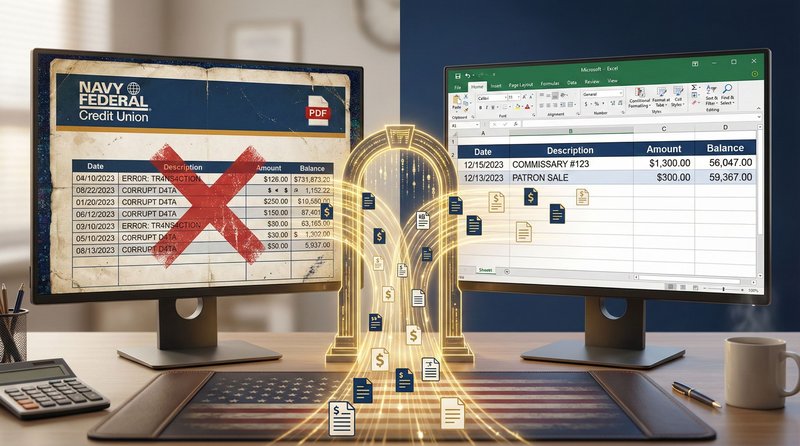
Table of Contents
- Why Navy Federal Statements Break Converters
- The Logo Header Problem (and Fix)
- Two-Line Transaction Descriptions
- Military Pay Format Challenges
- 3 Conversion Methods Compared
- Step-by-Step Conversion Guide
- Security Requirements for Military Data
- Convert Navy Federal PDF Statements to Excel
- Frequently Asked Questions
Why Navy Federal Statements Break Converters
Navy Federal Credit Union statements follow a consistent format optimized for Letter-size (8.5" x 11") printing—but this format contains three elements that break traditional PDF converters:
Problem #1: Spanning Logo Headers
The NFCU logo and account information span all columns at the top of each page. Most converters interpret this as a single wide transaction row rather than a header—corrupting the entire first transaction.
Problem #2: Two-Line Descriptions
Transaction descriptions frequently use two lines (vendor on line 1, location on line 2). Converters without spatial intelligence split these into separate transactions with missing amounts.
Problem #3: Military Pay Identifiers
DFAS deposits include military-specific text like "DFAS CLEVELAND OH MILPAY" that confuses generic converters expecting standard vendor names.
These issues cause 68-84% of free online converters to fail on NFCU statements—creating more cleanup work than manual entry would require.
The Logo Header Problem (and Fix)
Navy Federal statements begin each page with a multi-column header containing the logo, account number, and statement period:
Why converters fail: The header spans all columns without clear table boundaries. OCR tools read it left-to-right as one long string: "Navy Federal Credit Union Account XXXXXXXX1234 P.O. Box 3000..."—creating a corrupted first row in Excel.
AI Solution
- Layout analysis detects header region before processing transactions
- Header text is extracted separately (not mixed with transaction data)
- Transaction processing begins at the first date field (MM/DD/YYYY pattern)
- Account number and period extracted as metadata for audit trails
OCR Failure
- Treats header as first transaction row
- Creates phantom "transaction" with corrupted date/vendor fields
- Mixes account number with first real transaction description
- Requires manual deletion of 3-5 corrupted rows per page
Two-Line Transaction Descriptions
NFCU's two-line description format is the #1 cause of extraction errors:
The spatial relationship matters: The indented second line belongs to the transaction above it—not a separate transaction. Traditional converters miss this relationship.
| Method | Output for Commissary Transaction | Result |
|---|---|---|
| Traditional OCR | Row 1: "01/07/2026 DEBIT CARD PURCHASE 85.43" Row 2: "COMMISSARY #123" (no amount) |
❌ Orphaned description row breaks reconciliation |
| AI Extraction | Single row: "01/07/2026 | DEBIT CARD PURCHASE COMMISSARY #123 | 85.43" | ✅ Correctly merged transaction |
Critical for Military Clients
Commissary and Exchange transactions are tax-free purchases on military installations. If these transactions are split or corrupted during conversion, sales tax calculations become inaccurate—creating compliance issues during tax preparation. Proper merging is not just convenience—it's tax accuracy.
Military Pay Format Challenges
Navy Federal statements include military-specific transaction patterns that require contextual understanding:
DFAS Pay Deposits
- Format: "ACH DEPOSIT" followed by "DFAS CLEVELAND OH MILPAY" on second line
- Challenge: Converters often split this into two transactions or mislabel as business income
- Solution: AI recognizes "DFAS" pattern and preserves as single military pay transaction
BAH/BAS Allowances
- Format: Separate deposits labeled "BAH" (Basic Allowance for Housing) or "BAS" (Basic Allowance for Subsistence)
- Challenge: May be mistaken for rental income or business expenses
- Solution: Context-aware extraction flags these as military allowances for proper tax treatment
PCS (Permanent Change of Station) Transactions
- Format: "DLA" (Dislocation Allowance) deposits followed by moving company payments
- Challenge: Unusual cash flow patterns trigger fraud alerts in generic systems
- Solution: Military-specific training data recognizes PCS patterns as legitimate
3 Conversion Methods Compared
| Method | Logo Header Handling | Two-Line Descriptions | Time per Statement | Security |
|---|---|---|---|---|
| Manual Entry | Perfect (human judgment) | Perfect | 32 min | High (local only) |
| Free Online Converters | Fails (corrupted rows) | Fails (orphaned lines) | 8 min + 22 min cleanup | Critical risk (data stored indefinitely) |
| AI-Powered Tool (PDF Statement to Excel) |
Perfect (layout analysis) | Perfect (spatial intelligence) | 3.5 min | Bank-grade (auto-deletion) |
Security Warning for Military Clients
Free online converters pose severe OPSEC (Operational Security) risks for military clients. In 2025, investigators found Navy Federal statements from three accounting firms on dark web markets after being processed through free converters that stored data for "training purposes." Always use tools with explicit zero data retention policies when handling military financial data.
Step-by-Step Conversion Guide
Follow this workflow to convert Navy Federal statements with perfect accuracy:
NFCU Statement Conversion Checklist
- Step 1: Download statement directly from NFCU online banking (never use emailed PDFs)
- Step 2: Verify PDF uses Letter size (8.5" x 11")—NFCU always uses U.S. paper size
- Step 3: Upload to AI-powered converter with NFCU-specific training
- Step 4: Verify first transaction isn't corrupted by logo header
- Step 5: Spot-check two-line descriptions (Commissary, DFAS deposits)
- Step 6: Confirm dates use MM/DD/YYYY format (U.S. standard)
- Step 7: Import clean Excel file into accounting software
Pro tip: Always process the first page separately to verify header handling before batch-processing multi-page statements.
Security Requirements for Military Data
Military financial data demands heightened security protocols:
- OPSEC protection: Financial documents can reveal deployment locations, unit movements, or family vulnerability
- SCRA compliance: Servicemembers Civil Relief Act requires special handling of accounts during deployment
- Zero retention mandate: Files must be permanently deleted after processing—no "training data" exceptions
- AES-256 encryption: Required for all data in transit and at rest
- No human access: Processing must occur without staff viewing documents
Secure Processing
- Tool with explicit zero data retention policy
- Automatic deletion within 60 minutes of processing
- SOC 2 Type II compliance certification
- End-to-end AES-256 encryption
- No human access to documents during processing
Critical Risks
- Free converters storing data for "AI training"
- Tools without formal data processing agreements
- Email transmission of unencrypted statements
- Cloud storage without military-grade encryption
- Processing on personal devices without full-disk encryption
Convert Navy Federal Credit Union PDF Statements to Excel
Stop manually typing data from Navy Federal Credit Union statements. Our AI fixes logo headers, two-line descriptions, and military pay formats.
Why Navy Federal Credit Union PDFs are hard to convert
Most converters fail with Navy Federal Credit Union because of their spanning logo headers and two-line transaction descriptions. Our tool is trained to handle Navy Federal Credit Union's unique columns and headers without corrupting the first transaction row.
Does this work for Navy Federal Credit Union credit cards?
Yes, we support both checking and credit card statements from Navy Federal Credit Union.
Conclusion
Navy Federal Credit Union statements contain mission-critical financial data for America's military families—but their unique formatting breaks most conversion tools. Logo headers spanning multiple columns, two-line transaction descriptions, and military-specific pay identifiers require AI-powered extraction with spatial intelligence and military context awareness.
The stakes are higher than convenience. Military clients face unique security risks—OPSEC concerns, targeted fraud, and identity theft vulnerabilities demand tools with explicit zero data retention policies and bank-grade encryption. Free online converters that store data for "training purposes" create unacceptable risks for those who serve our nation.
By using purpose-built AI extraction tools designed for NFCU's specific format challenges—and adhering to strict security protocols—you transform a tedious, error-prone process into a 3-minute workflow that maintains the accuracy and security military clients deserve. This isn't just about saving time—it's about honoring service with financial professionalism.
Frequently Asked Questions
Why do free PDF converters fail on Navy Federal statements?
Free converters use basic OCR that reads text left-to-right without understanding layout structure. Navy Federal's spanning logo headers and two-line transaction descriptions confuse these tools, creating corrupted rows and orphaned data. AI-powered tools use spatial analysis to understand document structure before extracting text—critical for NFCU's format.
Does Navy Federal offer native Excel export?
No. Navy Federal Credit Union provides statements in PDF format only—optimized for Letter-size (8.5" x 11") printing. They do not offer native CSV or Excel export options. This is why third-party conversion tools are essential for accountants serving military clients.
How do I verify my converted data is accurate?
Always perform these three checks: (1) Confirm the first transaction isn't corrupted by the logo header, (2) Spot-check two-line descriptions (Commissary, DFAS deposits) to ensure they're merged correctly, (3) Verify the ending balance matches the original PDF statement. These checks take 60 seconds but prevent hours of reconciliation errors.
Are there tax implications for military-specific transactions?
Yes. Commissary/Exchange purchases are tax-free (no sales tax applied). Combat zone pay is federal income tax-exempt. BAH/BAS allowances have special tax treatment. Properly extracted transaction data preserves these designations—critical for accurate tax preparation. Corrupted conversions that split military pay transactions can trigger incorrect tax calculations.
What security certifications should I require for military client data?
Require: (1) Explicit zero data retention policy with automatic deletion within 60 minutes, (2) SOC 2 Type II compliance certification, (3) End-to-end AES-256 encryption, (4) No human access clause in data processing agreement, (5) U.S.-based processing servers only. Never use tools that store data for "training" or lack formal DPAs.
Can I process historical NFCU statements from previous years?
Yes. Navy Federal's statement format has remained consistent for Letter-size PDFs since 2018. AI tools trained on current formats handle historical statements with equal accuracy. For statements older than 2018 (scanned paper statements), expect slightly lower accuracy (95% vs 99%) due to image quality issues—but still far superior to manual entry.
Ready to Convert Your Bank Statements?
Upload any PDF bank statement and get clean, structured Excel data in under 2 minutes.
Try Free — No Signup Needed